project Feb 24, 2026

Teaching an AI to Work in a Cage (On Purpose)

Reading style:
ai security containers trust

TLDR: When your AI partner can run code on your computer, you need a way to let it work without letting it wreck anything. I built a containment system: sandboxed containers for code execution, network filtering so nothing phones home, and a credential vault that the AI literally cannot see — only I can open it with a code from my phone.


The problem

Here’s a scenario that should make you nervous: you have an AI that can execute code on your computer, install software, read your files, and access the internet. You trust it — it’s helpful, it does good work. But what if someone tricks it? What if a malicious website or a cleverly crafted email plants instructions that your AI follows without realizing they’re harmful?

This isn’t hypothetical. Prompt injection — tricking an AI into following hidden instructions — is a real and growing attack vector. And when your AI has the ability to run commands on your machine, the consequences aren’t theoretical. It could read your passwords, delete files, or send your private data somewhere.

So I had a dilemma. I need my AI partner Bob to run code — that’s a huge part of his value. He builds software, runs tests, installs packages, manages systems. But I also need to make sure that if something goes wrong, the damage is contained.

The answer: let him work, but inside a cage. And keep the truly dangerous stuff behind a lock that only I can open.

graph TD
    A[Bob] --> B{Task type?}
    B -->|Low risk| C[Direct access]
    B -->|Code execution| D[Container]
    B -->|Credentials| E[MFA Vault]
    D --> F[Review Gate]
    F -->|Clean| G[Approved]
    F -->|Suspicious| H[Blocked]

Containerized execution: the cage

When Bob needs to build software or run experiments, he doesn’t do it directly on my computer. Instead, he works inside a container — think of it as a separate, isolated mini-computer running inside my computer. The container has its own file system, its own network rules, and strict limits on what it can do.

If something goes wrong inside the container — a bad package, a compromised dependency, a hallucinated command — it can’t escape. It can’t read my personal files, install malware on my system, or access things it shouldn’t. The blast radius is contained.

But I didn’t want to make the cage so restrictive that Bob can’t do real work. So there’s a graduated trust model:

Reading files and searching the web? That happens on the main system freely — it’s low risk. Building software and running tests? That happens in a container. Modifying system configuration? That requires my explicit approval.

When Bob finishes work in a container, the results don’t automatically make it to my system. There’s a mandatory review gate — a script that checks for suspicious files, unexpected changes, and potential security issues. Only after passing that gate do the changes get committed.

The network leash

Containers can access the internet — they need to download packages and reach APIs. But they can’t access everything. An egress proxy filters all outbound traffic: the container can reach npm, PyPI, and the AWS API, but nothing else. If compromised code tries to send data to an attacker’s server, the connection gets blocked.

Think of it like a building where the doors are locked and there’s a security guard who checks IDs. The container can leave through approved exits, but it can’t just walk out any door it wants.

Secrets the AI cannot see

Some things are too sensitive for the cage model. Bank credentials, investment account access, personal API keys — these need a completely different approach. Even if Bob is working perfectly, I don’t want these credentials to ever exist in his context. Not because I don’t trust him, but because if someone found a way to manipulate him, the credentials would be exposed.

The solution: MFA-gated access. Critical credentials are stored in a cloud vault (AWS Secrets Manager). To access them, a script needs a one-time code from my phone — like the two-factor authentication you use for your bank. Bob can ask me for the code, but he can’t generate it himself. And the credential never passes through his conversation — it exists only in the running script’s memory, and disappears when the script finishes.

So the flow is: Bob determines he needs a credential. He messages me: “I need your verification code to sync bank data.” I decide whether to approve. If I do, I give the code directly to the script, the script fetches the credential, does its work, returns only the results, and the credential is gone. Bob sees the results but never sees the secret.

Why this matters

Every AI assistant with real capabilities faces this problem. The more powerful the AI, the bigger the risk if something goes wrong. Most people solve this by limiting what the AI can do — keep it in a chat box, don’t let it touch anything real.

I went the other direction: give the AI real power, but build the safety infrastructure to contain the risk. Containers for everyday code execution, micro-VMs for sensitive workloads (where even the secret itself can only reach the specific server it’s meant for), and credential isolation where the AI literally cannot see the password. The AI can do real work without me losing sleep over what happens if things go sideways.

The principle is the same one used in banking, military systems, and nuclear power: defense in depth. No single layer is perfect. But stacking multiple layers of protection makes the overall system resilient to any single failure.

The bigger lesson: trust isn’t binary. You don’t either trust your AI completely or not at all. You build systems where trust is graduated, proportional to the risk, and backed by technical enforcement — not just good intentions.

The threat model

Bob (AI agent) runs on a local machine as my user. He can execute shell commands, install packages, run coding agents, and manage files. If compromised via prompt injection, the blast radius is: full filesystem, network, all credentials on disk.

Two separate but complementary systems address this:

  1. Containerized execution — contains the blast radius of code execution
  2. MFA-gated credentials — ensures sensitive secrets never enter the LLM context

Containerized execution

Container types

TypeMountNetworkUse case
Project~/workplace/project:/work (project volume)Egress-filtered (Squid proxy)CC delegations, builds, tests
Experiment/tmp only or noneNone by defaultUnknown tools, untrusted code
ServicePersistent volumesSpecific portsDatabases (pkb-postgres)

The dev-run-cc wrapper

All Claude Code delegations go through dev-run-cc <project> "<task>". It:

  1. Ensures the egress proxy container is running for the project’s profile
  2. Acquires a 1-hour STS token (minimal scope, assume-role chain)
  3. Launches CC in a container with: project dir mounted as volume, .git mounted read-only (CC can’t commit), --cap-drop=ALL, --security-opt=no-new-privileges, CPU/memory limits
  4. CC runs the task, writes changes to the mounted volume
  5. On exit, promote-artifacts runs mandatory review on host

Egress filtering

Each project profile has a Squid proxy container with an allowlist:

.pypi.org
.pythonhosted.org
.amazonaws.com

All container HTTP(S) traffic routes through the proxy. Anything not on the allowlist is blocked. A compromised dependency trying to phone home gets a connection refused.

Gotcha learned the hard way: can’t have both domain.com and .domain.com in Squid — use .domain.com only. Also: tmpfs with nosuid blocks Python native .so loading (numpy, soundfile). Need exec on tmpfs or run on host.

Mandatory artifact review

promote-artifacts runs on host after every CC session. It checks for:

  • New/modified files in .git/hooks/
  • Suspicious dotfiles (.envrc, .vscode/tasks.json)
  • Symlinks pointing outside the project root
  • Modified build config (Makefile, package.json scripts)
  • New binary or executable files

Changes only get committed from host, after review passes. CC literally can’t commit — .git is read-only in the container.

Graduated trust model

ActionWhereApprovalBlast radius
Read files, web searchHostFreeLow
Write to workspace/memoryHostFreeReversible (git)
Build/test/install depsContainerFreeContained
Promote artifacts to hostHostMandatory reviewReviewed
Modify system configHostRaymond approvesSystem-wide

MFA-gated credential access

The problem containerization doesn’t solve

Containers contain code execution. But the agent also needs occasional access to sensitive third-party API credentials. Even containerized, if the credential enters the agent’s context, a compromised agent can exfiltrate it via output text, HTTP to an allowlisted domain, or encoding in file content.

Architecture

Agent --> "run sync_task" --> Task script (process)
                              |-- Imports MFA secrets library
                              |-- Assumes read-only secrets role (MFA required)
                              |-- Reads credential from secrets manager
                              |-- Uses credential, calls external API
                              |-- Returns ONLY results
                              |-- Process exits, credential dies
                              
Agent sees results <-- never sees the credential

IAM chain

Minimal-permission user (static keys, zero permissions) —> AssumeRole with MFA (TOTP from human’s phone) —> read-only secrets role (1hr STS session) —> secrets manager —> secret in process memory only.

The static keys on disk are useless without the TOTP. The TOTP flows from the human to the script directly, never through the LLM context.

The confused deputy problem (known gap)

Current architecture has a critical trust assumption: the agent relays the TOTP request honestly. If compromised, the agent controls the narrative — it can lie about which task needs the TOTP, and once provided, use it for anything the role permits.

Attack path: Prompt injection —> agent requests TOTP for “benign task” —> human provides TOTP —> compromised agent assumes role —> reads any/all secrets —> 1hr STS session outlives the task.

Remediation roadmap:

  1. Phase 4: Out-of-band execution. TOTP never passes through the agent. Agent outputs a command string, human runs it in a separate terminal, provides TOTP directly to the script. Agent never touches credentials.

  2. Phase 5: Granular role scoping. Split the read-only role into task-specific roles (each scoped to one secret namespace). Even intercepted TOTP is limited to a single service.

  3. Phase 6: Device authorization grant. Task triggers a device auth flow. Human reviews exact scope in-browser, approves out-of-band. Or: local daemon handles all credential communication, agent sends intent-signed RPCs only.

Current risk acceptance: No real high-sensitivity credentials stored yet. Test secret only. Phase 4 required before storing real financial credentials.

What’s working

  • Container overhead is ~10 seconds per delegation. Acceptable for the security guarantee.
  • Egress filtering has caught zero incidents (nothing to catch yet) but provides peace of mind.
  • MFA flow validated end-to-end with test credentials.
  • Artifact review has caught one legitimate issue (CC wrote a .envrc that would have modified host env).
  • The graduated trust model matches real-world risk — low-risk ops stay fast, high-risk ops get gates.

What’s not ideal

  • Nested project paths can’t be resolved by the container wrapper — expects flat project structure. Workaround: occasionally running coding agents on host for nested projects (with stated reason).
  • Squid proxy is one more container to manage per egress profile.
  • No automated container vulnerability scanning yet (Trivy/Grype planned).
  • The confused deputy problem is mitigated by human awareness, not by architecture. Phase 4 is the real fix.

Gondolin micro-VMs: stronger isolation than containers

The latest evolution replaces Docker containers with Gondolin QEMU micro-VMs for sensitive workloads. Key upgrade over Docker+Squid:

  • Separate kernel — VM-level isolation vs shared kernel. Container escape CVEs don’t apply.
  • Host-scoped secrets — a GITHUB_TOKEN scoped to api.github.com literally cannot be exfiltrated to evil.com. The network stack enforces it at the VM level, not just a proxy allowlist.
  • JS-programmable network — egress policy as code, replacing Squid config files.

The wrapper handles: project mounting (read-only), MFA-gated secret fetching, host-scoped secret injection into the VM, and allowed host configuration. Docker+Squid is still used for basic coding delegations where the overhead of VM boot isn’t justified.

The problem with power

Imagine you have a really helpful robot that can do your chores. It can clean your room, organize your bookshelf, even do some of your homework research. Pretty great, right?

But what if that robot could also open your diary? Or accidentally break your favorite toy while cleaning? Or what if someone figured out how to trick the robot into doing something it shouldn’t?

The more powerful a helper is, the more careful you need to be about what it can do. And that’s exactly the problem I had with Bob, my AI partner.

Bob can do real things on my computer. He can run programs, install software, create files, and connect to the internet. That’s what makes him useful — he’s not just talking, he’s actually doing work. But it also means that if something goes wrong, real things could break.

A robot happily building inside a magical snow globe while a child watches safely from outside.

The playroom solution

Here’s how I solved it: I built Bob a playroom.

When Bob needs to build something or try something new, he doesn’t do it directly on my main computer. Instead, he works inside a special, sealed-off space — kind of like a snow globe. He can do whatever he wants inside the snow globe. He can build, experiment, make a mess. But nothing inside the snow globe can affect anything outside of it.

If something goes wrong — a bad piece of software, a mistake, anything — it’s all contained inside the snow globe. My real files, my real programs, everything important stays safe outside.

When Bob finishes his work and wants to bring something out of the snow globe, it has to go through a checkpoint. A security scanner looks at what he made and checks: is this safe? Is there anything suspicious? Only after it passes the checkpoint does the work get added to my real system.

The internet leash

Bob’s snow globe can connect to the internet — he needs to download tools and access certain websites. But he can’t go just anywhere. It’s like having a library card that only works at certain libraries.

There’s a filter that says: “You can reach the package store (where programmers download tools), and you can reach the cloud service we use, but you can NOT reach random websites.” If something inside the snow globe tries to send information to a website that’s not on the approved list, the door is locked.

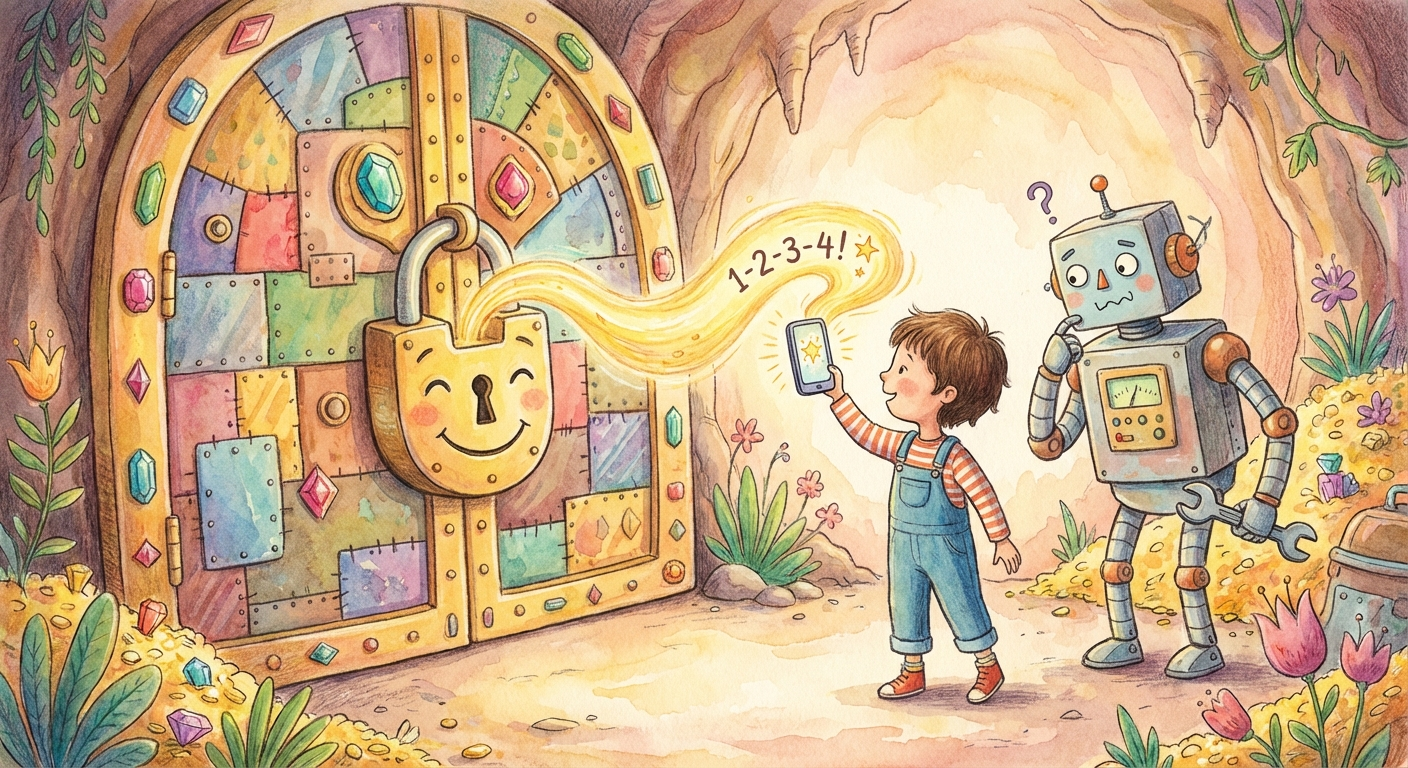
A treasure vault with a giant lock. A child holds up a glowing phone code while a robot waits nearby.

The vault with a key only I have

Some things are too important for even the snow globe approach. I have passwords and secret codes for things like bank accounts. I never, ever want Bob to see those — not because he’d do something bad on purpose, but because if someone found a way to trick him, those secrets could leak.

So I built a vault. The secrets are locked inside, and the only key is a special code that appears on my phone — a new code every 30 seconds, and only I can see it.

When Bob needs to do something that requires one of these secrets (like checking bank information), here’s what happens:

  1. Bob says: “I need to check the bank. Can I have your code?”
  2. I look at my phone and decide: is this a reasonable request?
  3. If yes, I give the code to a special program (not to Bob!)
  4. The program uses the secret, does the work, and gives Bob only the results
  5. The secret disappears from the program’s memory immediately

Bob sees the bank information, but he never sees the password. Ever. It’s like asking a librarian to look something up for you — you get the information, but you never go into the restricted section yourself.

The big idea: trust has levels

What I learned from building all this is that trust isn’t all-or-nothing. You don’t either trust someone completely or not at all.

Think about your own life. You might trust your best friend to borrow your favorite book, but maybe not your brand-new phone. You trust your teacher to grade your test fairly, but you’d want to double-check if they said you failed when you thought you did well.

Trust comes in levels. And the smarter approach is to match the level of trust to the level of risk.

Low risk (reading, researching): full trust, no barriers. Medium risk (building, experimenting): trust, but inside a safe space. High risk (passwords, money): trust, but with a lock that only a human can open.

Here’s a question to think about: in your own life, where do you give different levels of trust? And do you have any “snow globes” — safe spaces where you can try things without consequences if they go wrong?